Heesab Operations Manual
This manual describes the normal day-to-day operating rhythm for Heesab. It is written for operators,
bookkeepers, and client users who review exceptions, verify QuickBooks, and decide when routine work is
safe enough to trust.
Operating Model
Heesab is a training and exception system.
- First-time or uncertain work is reviewed in Heesab.
- Routine trusted work can auto-post to QuickBooks.
- Humans verify the result in QuickBooks.
- Corrections update the mapping and workflow rules.
- Every meaningful action is recorded in the audit history.
Daily Checklist
- Open the dashboard.
- Confirm the selected client/company.
- Review the cockpit counts.
- Work Needs vendor, Pending review, Approved, and Error items.
- Verify recently posted transactions in QuickBooks.
- Keep test data hidden when working real client books.
- Pause automation if anything looks wrong.
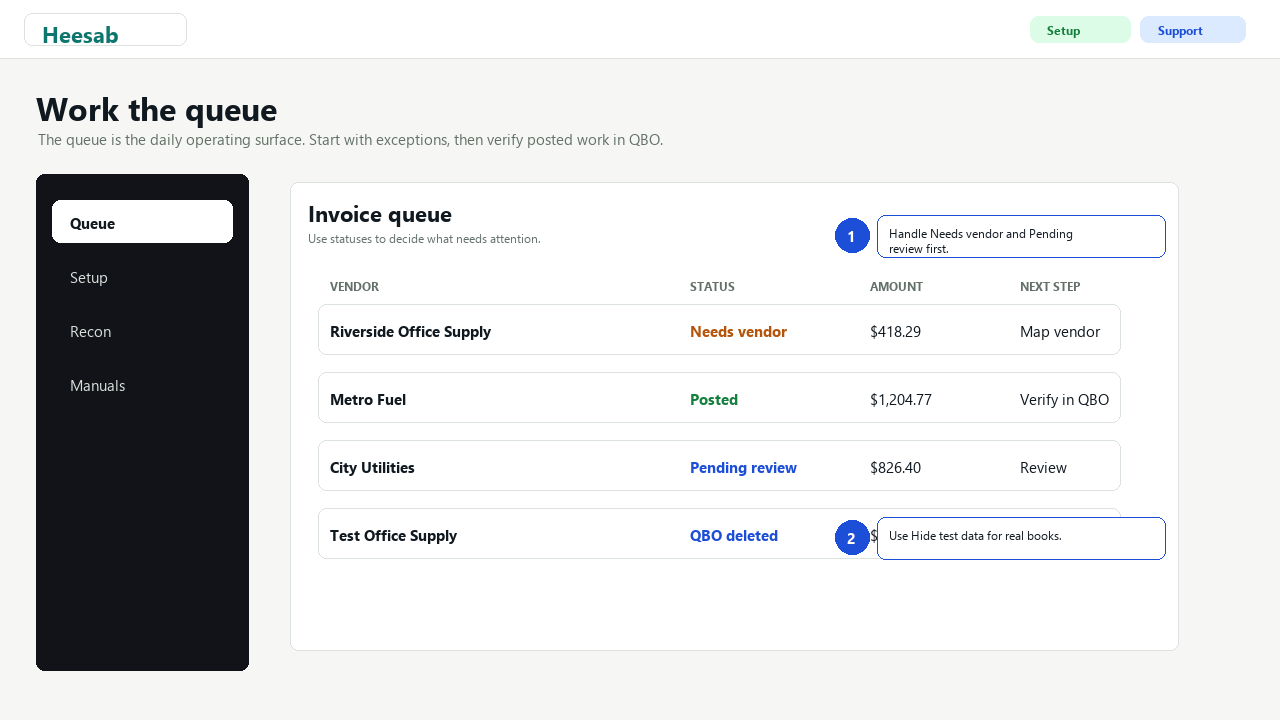
Queue Statuses
- Needs vendor: Heesab parsed the document but needs a vendor or account mapping.
- Pending review: Ready for human review before approval.
- Approved: Approved in Heesab and ready to post.
- Posted: Posted to QuickBooks; verify in QBO.
- QBO deleted: A posted test/correction Bill was deleted in QBO and reconciled in Heesab.
- Rejected: Intentionally not posted.
- Error: Parsing, mapping, posting, or QBO communication needs attention.
Reviewing an Invoice or Source Item
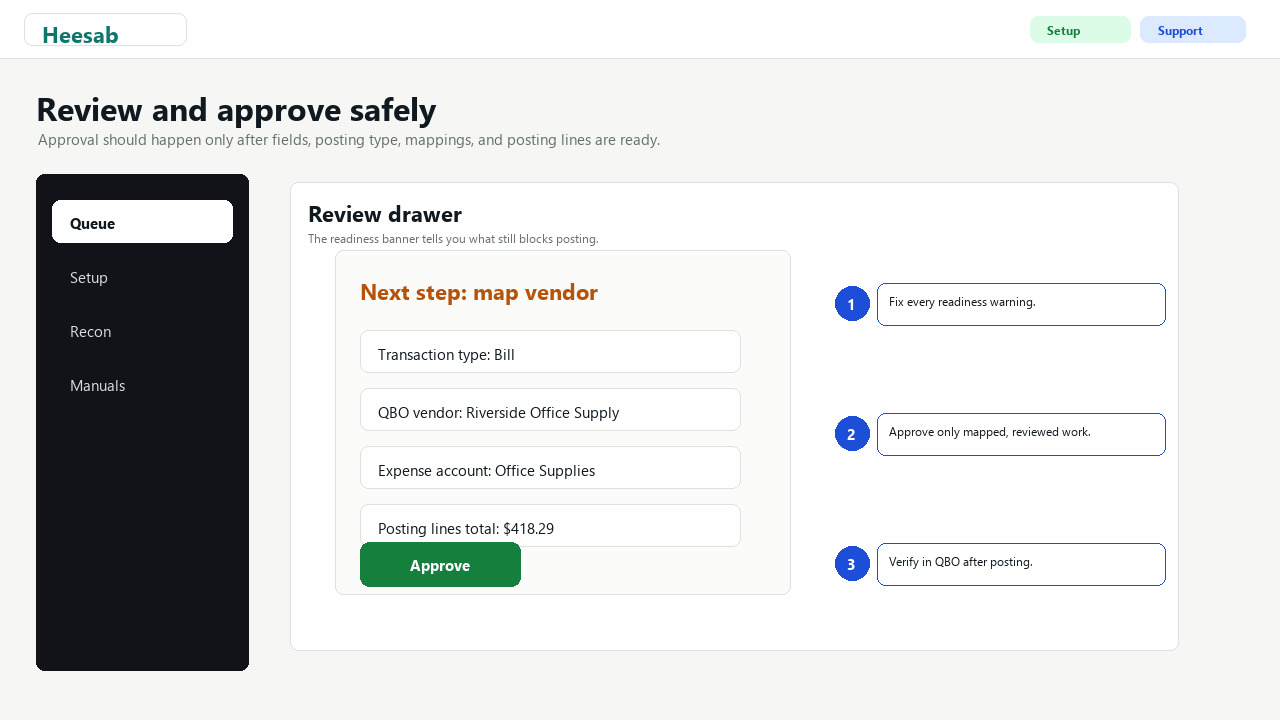
- Open the row from the Queue.
- Confirm vendor, invoice number, dates, currency, and total.
- Review line items and proposed posting lines.
- Select the correct QBO transaction type: Bill, Purchase / paid now, or Deposit.
- Map each required QBO account.
- Save the mapping.
- Approve only when the readiness banner says it is safe to post.
If a field is uncertain, leave it in review and ask for clarification.
Posting and Verification
After approval:
- Post to QuickBooks from Heesab or allow trusted auto-post if the workflow is configured that way.
- Open QuickBooks and verify vendor, date, amount, account, line splits, and attachment if applicable.
- If the transaction is test data or incorrect, use the supported Heesab cleanup action where available.
Bill void is intentionally disabled because production testing showed QBO did not reliably void Bills.
Use supported delete/reconciliation behavior only where appropriate.
Trust and Auto-Post Rules
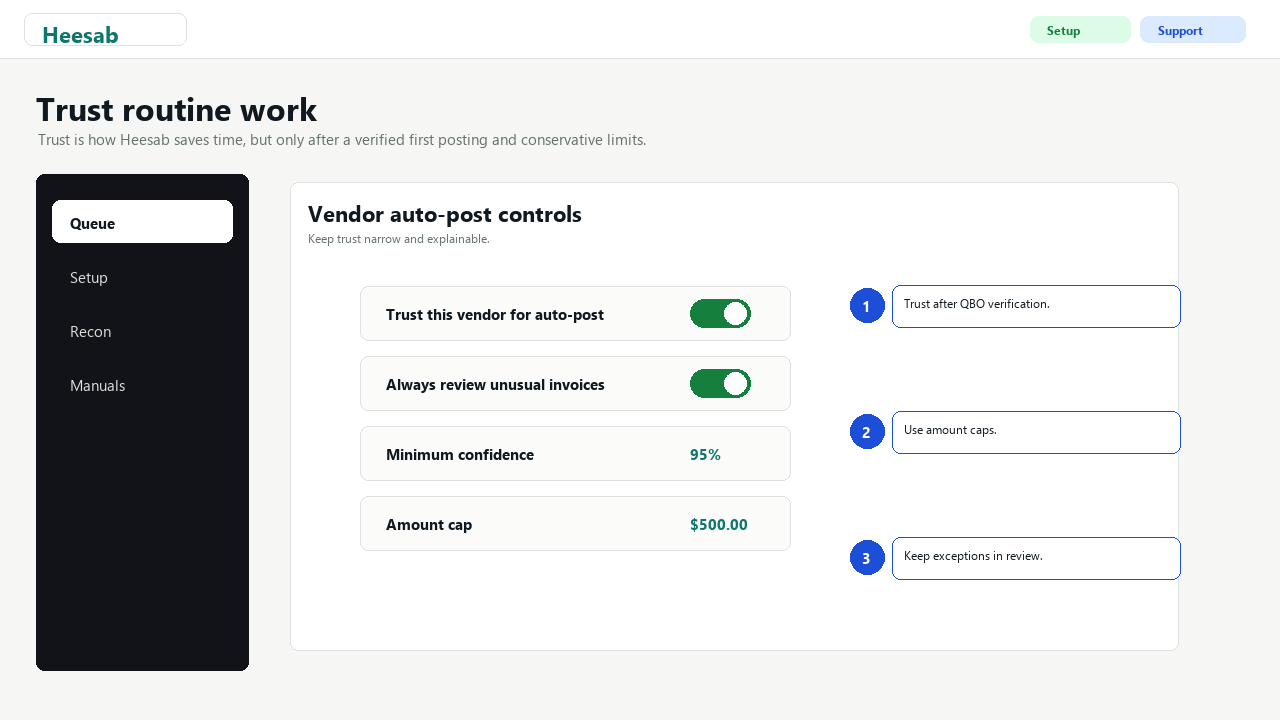
Only trust routine work after successful QBO verification.
- Use Trust this vendor for auto-post for predictable recurring invoices.
- Keep amount caps conservative.
- Set Always review for unusual vendors or non-routine amounts.
- Use a confidence floor high enough that uncertain parses stay in review.
- Keep new workflows review-first until they prove themselves.
If a trusted rule misbehaves, pause the tenant or workflow first, then correct the mapping.
Recon Extension Operations
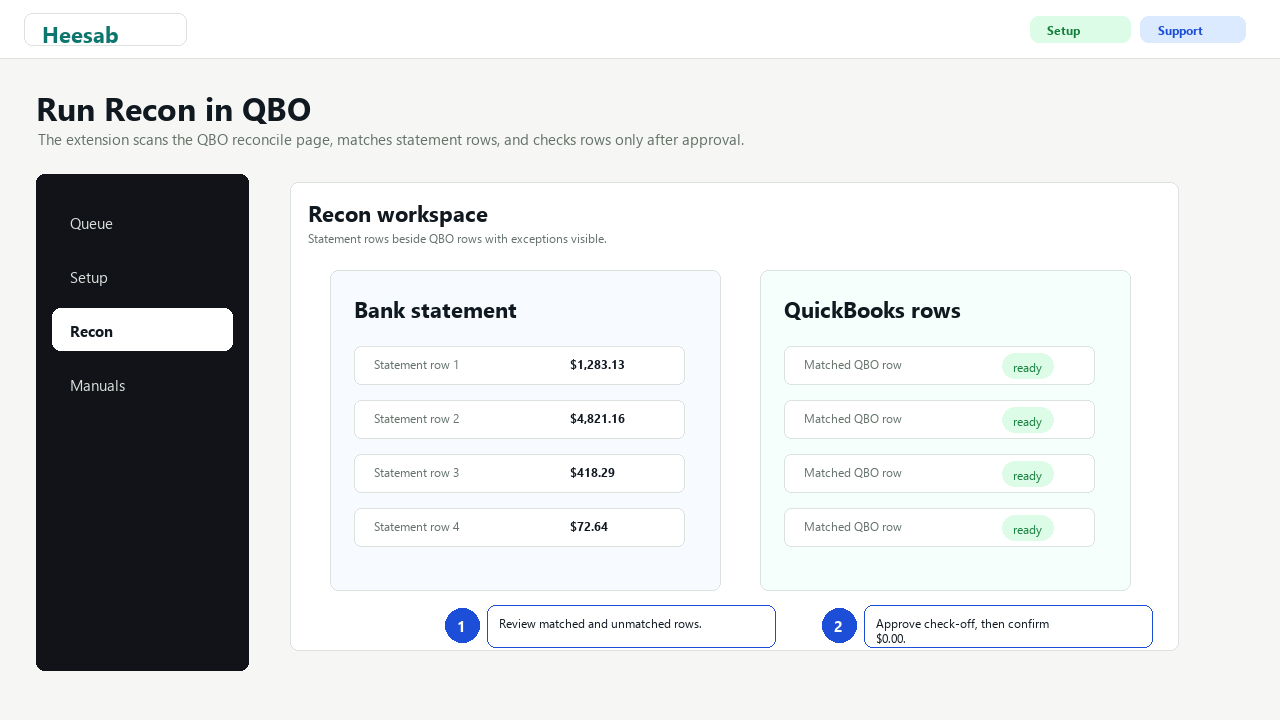
The Recon extension is the normal reconciliation product surface.
- Open the correct QBO company file and reconciliation page.
- Open the Heesab extension widget.
- Validate activation.
- Scan the QBO reconcile page.
- Upload the bank CSV for the statement period.
- Review matched rows, statement-only rows, QBO-only rows, and duplicates.
- Approve check-off only after exceptions are understood.
- Confirm QBO reaches `$0.00` difference.
- Finish the reconciliation in QuickBooks.
Do not use Recon check-off on a company file or month that has not been deliberately selected for the
session.
Company Forms Operations
- Use the Forms tab to manage employee, store, department, or workflow-specific templates.
- Create separate public links for different submitters so each person only sees the form they need.
- Keep form links private and replace/pause a template if a link should stop accepting submissions.
- Review submitted queue items before posting.
- Confirm mapped lines, totals, and the deposit-to or payment account in QuickBooks before approval.
Pausing Automation
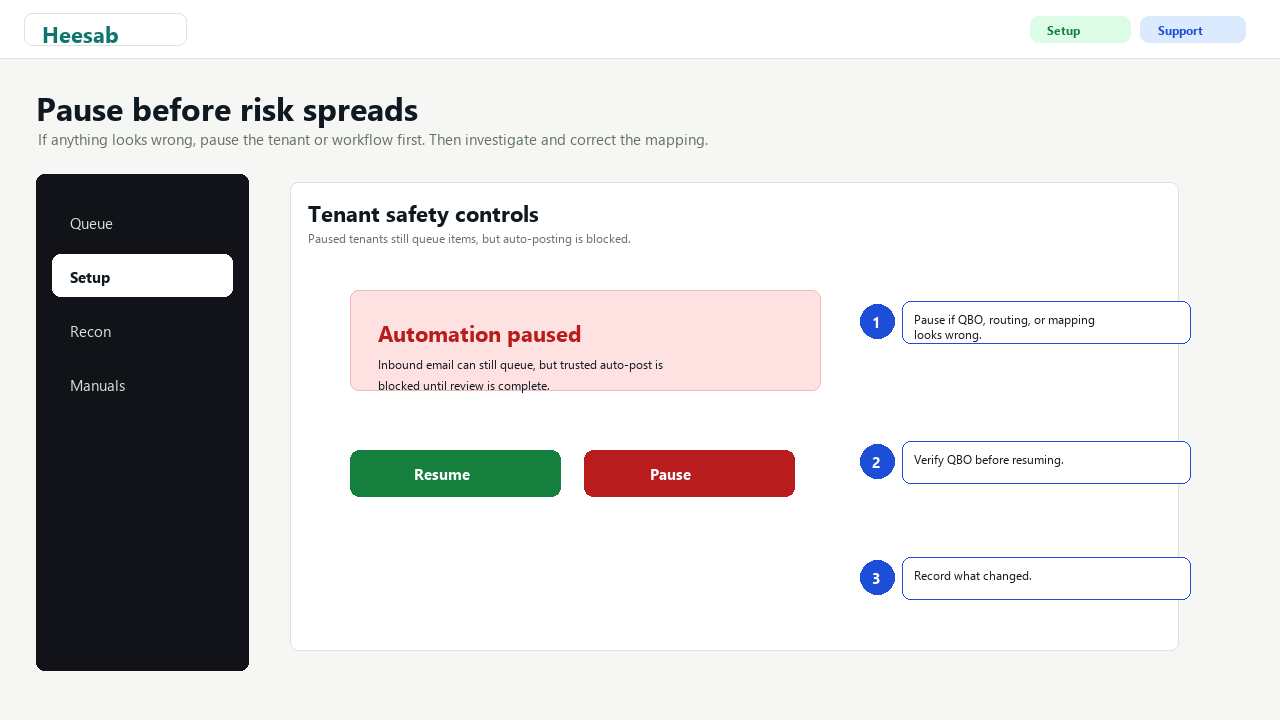
Pause a tenant or workflow when:
- The wrong QuickBooks company is connected.
- A vendor map is wrong.
- QBO credentials need reconnect.
- Email intake is routing incorrectly.
- A client asks Heesab to stop posting.
- A suspected data or posting incident is under review.
Paused tenants can still queue inbound items, but auto-posting is blocked.
Incident Response
If something looks wrong:
- Stop trusting the affected mapping.
- Pause the tenant or workflow if the risk is broader.
- Record what happened in the invoice or tenant history.
- Verify the QuickBooks state directly.
- Use the incident response runbook for customer-impacting issues.
- Contact [email protected] with tenant, invoice number, QBO transaction id, and what changed.
What Heesab Does Not Do
- Heesab does not run payroll.
- Heesab does not move money.
- Heesab does not file taxes.
- Heesab does not replace professional accounting judgment.
- Heesab does not write QBO reconciliation state through unsupported server-side APIs.
Good Operating Habits
- Verify in QuickBooks, not only in Heesab.
- Keep trust narrow.
- Use conservative amount limits.
- Keep source documents attached where possible.
- Treat the audit history as the record of what Heesab did and why.